
Laptop Liquid Damage Repairs London
Spilled something on your laptop? We can help – fast
Look, accidents happen. A cup of coffee, a glass of water, your kid’s juice box – it only takes a second and suddenly your laptop’s in trouble. The good news is, in most cases, we can fix it. And more importantly – we can usually save your files, photos and documents too.
We’ve got repair engineers all across London so there’s probably one near you right now. Just fill in the form, tell us what happened and where you are, and the nearest available engineer will get in touch with you shortly. With liquid damage, every hour matters – so the sooner you reach out, the better your chances.
Get Your Nearest Engineer On It
REQUEST A LIQUID DAMAGE ASSESSMENT
Just tell us what happened, roughly where you are, and how to reach you. We’ll match you with the closest available engineer and they’ll be in touch shortly to talk you through next steps. No jargon, no pressure – just someone who knows what they’re doing and can help.
Don’t worry if you’re not sure exactly what’s wrong with it. “I spilled coffee on my laptop and now it won’t turn on” is all we need to get started. We figure out the rest.
What To Do Right Now
While you’re waiting for our engineer to get back to you, here’s what you can do to give your laptop the best chance
First things first – don’t panic. What you do in the next few minutes can genuinely make a difference. Follow these steps and you’re giving your laptop (and your data) the best shot at surviving this.
Don’t try to turn it on. Seriously. We know it’s tempting.
But powering it up while there’s still moisture inside can fry components that might otherwise have been fine.
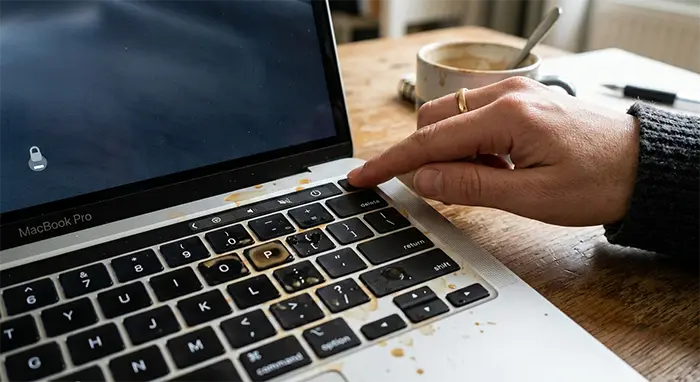
Hold the power button down until it shuts off completely
Don’t wait for it to shut down normally – just force it off. Every second it’s running with liquid inside is doing more damage.
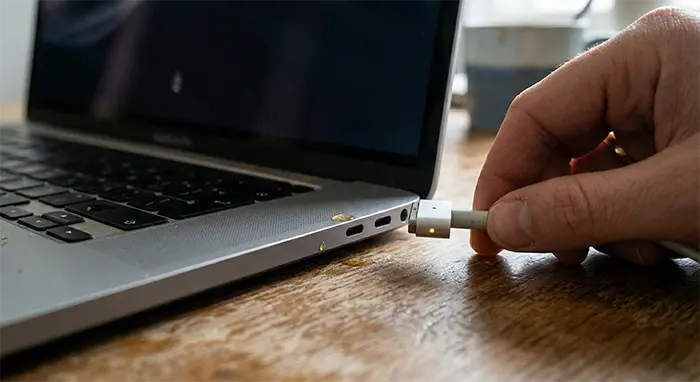
Unplug the charger straight away
Pull it out. Electricity and liquid is a bad combination, and we don’t want anything short-circuiting.
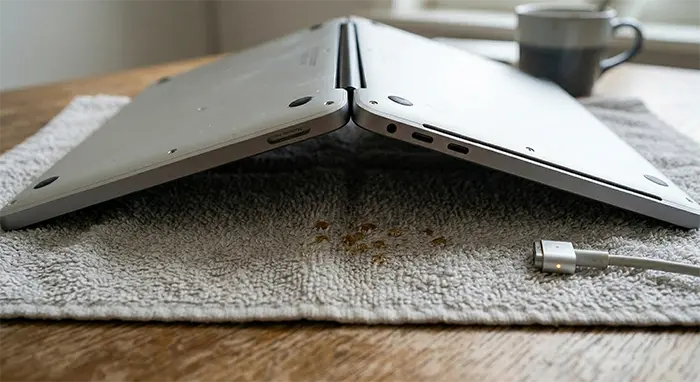
Open the laptop up and flip it upside down
Like a tent shape, screen side down on a dry towel. Let gravity do its thing and drain what it can.
What NOT To Do
A few things that seem like good ideas but will actually make it worse

Don’t shake it
We get the logic – you’re trying to get the liquid out. But shaking it just spreads it further into parts that might have stayed dry. Leave it flipped upside down and let gravity work.
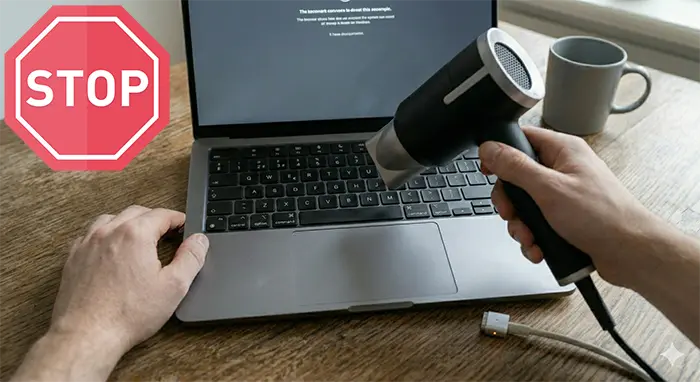
Don’t use a hair dryer
The heat can warp components and melt things that really shouldn’t be melted. Warm air might feel like it’s helping but it’s doing more harm than good. Just let it air dry naturally.
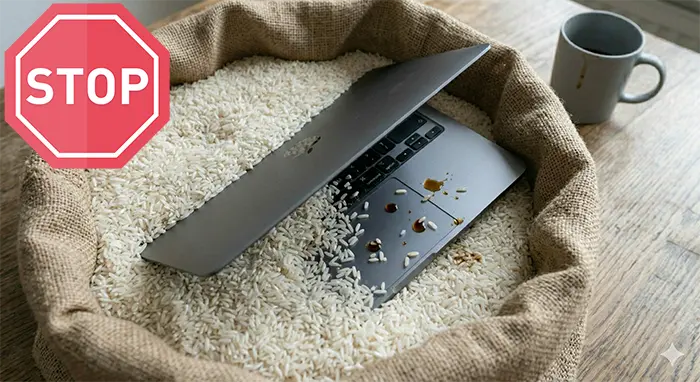
Don’t put it in a bag of rice
Yeah we know. Everyone says this. It’s a myth. Rice doesn’t absorb moisture fast enough to make any real difference, and what it does do is leave tiny starchy bits and dust all over the insides of your laptop. Our engineers have opened up plenty of “rice laptops” and it just makes the cleanup harder.
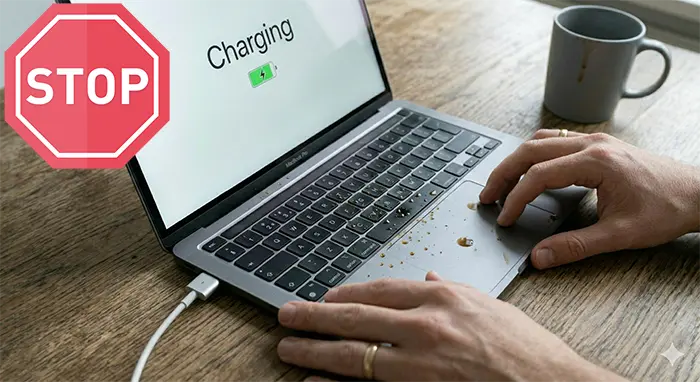
Don’t try to charge it
Even if the laptop seems dead and you’re hoping a charge might wake it up – don’t. Sending power through wet circuits is one of the fastest ways to cause permanent damage.
How We Fix Liquid Damaged Laptops
The process from start to finish – no surprises
We know handing over your laptop to a stranger is a bit nerve-wracking, especially when all your stuff is on it. So here’s exactly what happens, step by step.
Step 1
You fill in the form and we match you with your nearest engineer
That’s the bit you’ve hopefully already done. Once we know where you are and what happened, we get the right person on it. They’ll call or text you shortly to arrange getting your laptop to us.
Step 2
We take it apart and assess the damage
Our engineer fully disassembles your laptop – keyboard off, motherboard out, the lot. We need to see exactly where the liquid reached and what it’s done. This is a proper look inside, not just a quick glance. If you decide to go ahead with the repair, this diagnostic is free. If you don’t, there’s a £60 fee for the work done so far.
Step 3
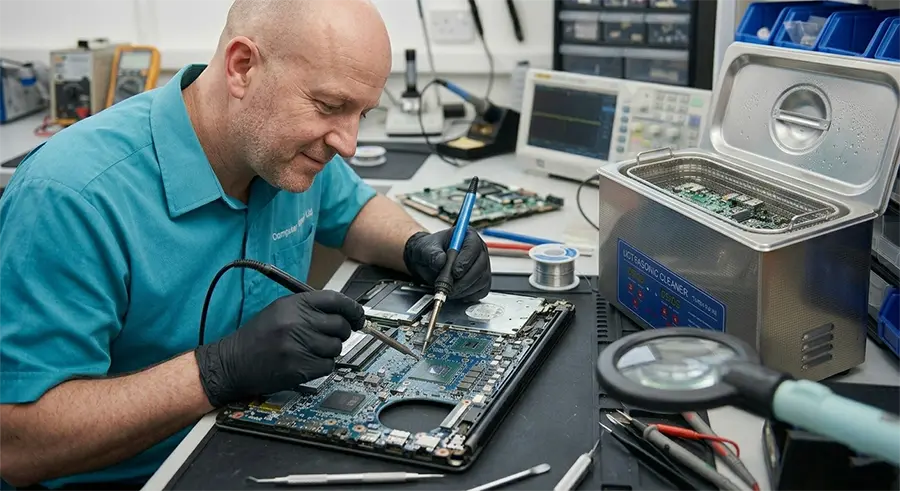
Ultrasonic cleaning
This is the main event. We put the motherboard and affected parts through an ultrasonic cleaning bath. It’s basically a specialised wash that removes all the residue, minerals and corrosion the liquid left behind. Think of it like a deep clean for the insides. Takes about 1-2 days for the full cleaning and drying process.
Step 4
We tell you exactly what’s going on
After cleaning, we test everything and put together a full picture. You get a clear quote emailed to you – what needs replacing if anything, what it’ll cost, no hidden bits. Sometimes the ultrasonic clean is all it takes and everything works again. Other times a component or two needs swapping out. Either way you’ll know exactly what you’re looking at before you spend a penny more.
Step 5
You decide
If the quote works for you, we crack on and get it repaired as fast as we can. If it’s too much or you’d rather not – no hard feelings, you just pay the diagnostic fee and that’s it. And if the laptop can’t be saved? We can usually still recover your data – your photos, documents, everything. So even in the worst case, your files aren’t necessarily gone.
How Much Does It Cost
Let’s talk money because that’s probably one of the first things on your mind.
Cleaning and inspection starts from £70. This covers the full disassembly, ultrasonic cleaning of the motherboard and affected parts, drying, and testing everything afterwards. Think of it as a thorough deep clean and health check for your laptop’s insides. In a lot of cases this is all it needs and your laptop comes back working.
If parts need replacing, that’s extra. Sometimes the cleaning reveals that a component has been damaged beyond saving – a chip on the motherboard, the keyboard, a connector. We won’t just go ahead and replace stuff without asking. You get a full breakdown of what’s needed and what it costs before we touch anything else.
Free estimates if you repair with us. The diagnostic and inspection is on us if you go ahead with the repair. We only charge for the work, not for telling you what’s wrong.
Don’t want to go ahead? That’s fine. If the quote comes back and it’s more than you want to spend, or you just decide it’s not worth it – no problem at all. You pay £60 for the diagnostic work and that’s it. No pressure, no guilt trip. It’s your call.
And if it’s beyond repair? We’ll be honest with you. Sometimes the damage is just too much and fixing it would cost more than the laptop’s worth. We’ll tell you that straight rather than charging you for a repair that doesn’t make sense. We can still usually recover your data though, so your files and photos aren’t lost even if the laptop is.
Why You Shouldn’t Wait
Even if your laptop seems fine right now, the damage is happening inside
Here’s the thing most people don’t realise. Your laptop might actually still work after a spill. You might turn it on and think oh great, it’s fine, dodged a bullet. But it’s not fine. What’s happening inside is something called electro-corrosion – basically the minerals in the liquid are slowly eating away at the tiny components on your motherboard.
It can take days, sometimes a couple of weeks. But eventually things start going wrong. A key stops working. The screen flickers. It shuts down randomly. And by that point the damage is a lot harder and more expensive to fix than if you’d brought it in straight away.
That’s exactly why we have engineers spread across London. Liquid damage is one of those things where getting it cleaned fast can be the difference between a £70 clean and a £300 repair. Or in some cases, the difference between a fixable laptop and one that’s done for.
So even if it’s still working – get it looked at. Better to be safe than to watch it slowly die on you over the next week.
Not Sure What’s Wrong With It?
Here are the most common things we see after a liquid spill
You might not know exactly what’s going on with your laptop and that’s completely fine. But if you’re seeing any of these, it’s almost certainly related to the spill.
It won’t turn on at all
You press the power button and nothing. No lights, no fan noise, nothing. This is actually the most common one we see. Doesn’t necessarily mean it’s dead though – often the motherboard just needs a proper clean.
The charger light is dim or flickering
You plug it in and the little LED on the power brick is barely glowing or blinking on and off. That usually means there’s a short circuit somewhere inside caused by the liquid.
The keyboard is acting strange
Some keys don’t work, or it’s typing random characters by itself, or certain keys are sticky and unresponsive. Liquid loves to settle under keyboards and it doesn’t take much to cause problems there.
The screen is black but you can hear it running
Fans spinning, maybe a light or two on, but nothing on the screen. Could be the display connection got damaged or the graphics chip on the motherboard took a hit.
It turns on but keeps shutting down randomly
Works for a few minutes then just cuts out. This is often a sign of progressive corrosion – it’s working enough to boot but something’s failing under load.
It smells a bit funny
Sounds odd but a slightly burnt or chemical smell coming from the laptop after a spill is not a great sign. It usually means something has short-circuited. Turn it off and don’t use it.
We Repair Pretty Much Every Laptop Brand
Whatever you’ve got, we’ve probably fixed one before
Doesn’t matter if it’s a cheap one you picked up for uni or a high-end work machine – liquid doesn’t care what brand it is and neither do we. Our engineers have worked on all of them.
Dell – Inspiron, Latitude, XPS, Vostro. We see a lot of these.
HP – Pavilion, ProBook, EliteBook, Envy, Spectre. Probably the most common brand that comes through our door honestly.
Lenovo – ThinkPad, IdeaPad, Yoga, Legion. ThinkPads are actually some of the easier ones to work on which is nice.
ASUS – VivoBook, ZenBook, ROG, TUF. The gaming ones can be a bit more complex inside but nothing we haven’t dealt with.
Acer – Aspire, Swift, Nitro, Predator. Pretty straightforward usually.
Microsoft Surface – These are trickier because they’re not really designed to be opened up. But we manage.
Toshiba, Samsung, MSI, Razer, Gigabyte – yep, all of those too.
Got something weird or old? Bring it anyway. If it’s got a motherboard and liquid went in it, we can clean it. Worst case we take a look and tell you honestly what the options are.
Not sure what model you’ve got? Don’t worry about it. Just describe it in the form – “silver HP, about 3 years old” is enough for us to work with. We’ll figure out the exact model when we get our hands on it.

Why People Trust Us With Their Laptops
We’ve been doing this a while and it shows
We get it – handing your laptop over to someone when all your work and personal stuff is on it takes a bit of trust. So here’s why people keep coming back to us and recommending us to others.
We’ve been repairing laptops in London since 2010
That’s over 15 years of spilled coffees, teas, water bottles, glasses of wine and one memorable incident involving a fish tank. We’ve seen it all at this point.
Our Google reviews speak for themselves
We don’t need to tell you we’re good – our customers already have. Have a look at what people are saying, most of them were in the exact same situation you’re in right now.
Engineers across London, not just one shop
We’re not some single workshop where you have to trek across town. We’ve got engineers spread out so there’s likely someone near you who can help quickly. That matters with liquid damage because time is everything.
We’re straight with you
If it’s not worth repairing, we’ll say so. We’re not going to charge you for something that doesn’t make financial sense. And we’ll always try to recover your data regardless.
We accept card payments
Small thing but worth mentioning. No awkward trips to a cash machine.

Where We Cover
Engineers across London and beyond – there’s probably one near you right now
We’re not just one shop in one corner of London. We’ve got engineers spread across the city so wherever you are, we can usually get someone to you or near you pretty quickly.
Central London, East London, West London, North London, South London – all covered. Plus Hertfordshire and Kent if you’re just outside the city.
Prefer to drop it off in person? Our South Woodford office is open Monday to Friday, 11am to 7pm. You can walk in, hand it over, and we’ll get started straight away.
Not in London at all? Not a problem. We offer a send-in service – you post your laptop to us, we do the cleaning and repair, and send it back. Takes a bit longer obviously but the repair quality is exactly the same. Just mention it in the form and we’ll talk you through how to package it safely.

Don’t Leave It Any Longer
The sooner we clean it, the better your chances
Every hour that liquid sits inside your laptop, the damage gets a little bit worse. You’ve read what to do, you know what not to do – now let us handle the rest.
Fill in the form above and your nearest engineer will be in touch shortly. It takes 30 seconds and it could save your laptop.